Setting Up Your Profile
If you wish to update your profile, you can easily do so through the BookRX dashboard. To update your profile, follow these steps:
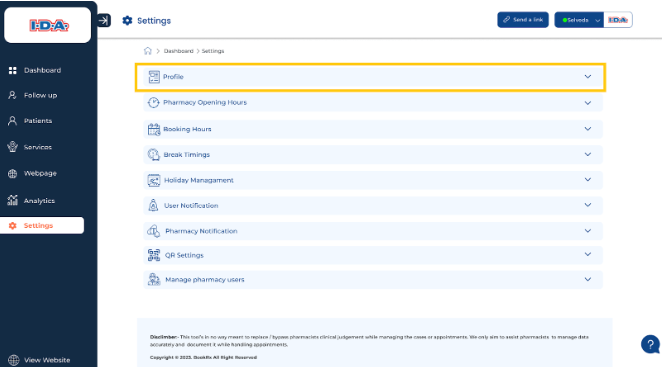
Step 1: Access Your Profile
Click on the dropdown menu located within the "Profile" tab.
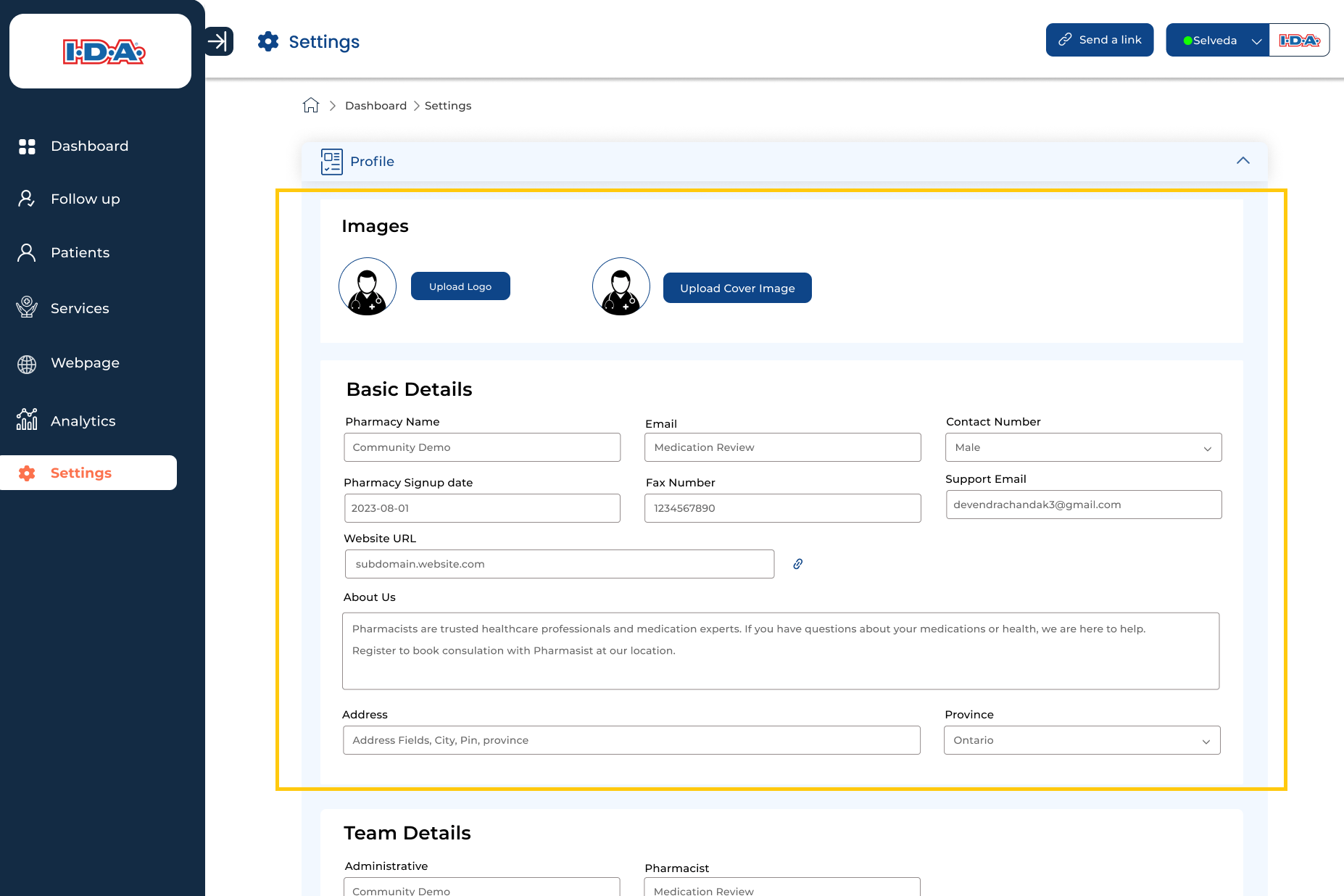
Step 2: Update Basic Details
In this section, you can make changes to the basic details you initially provided during your registration.
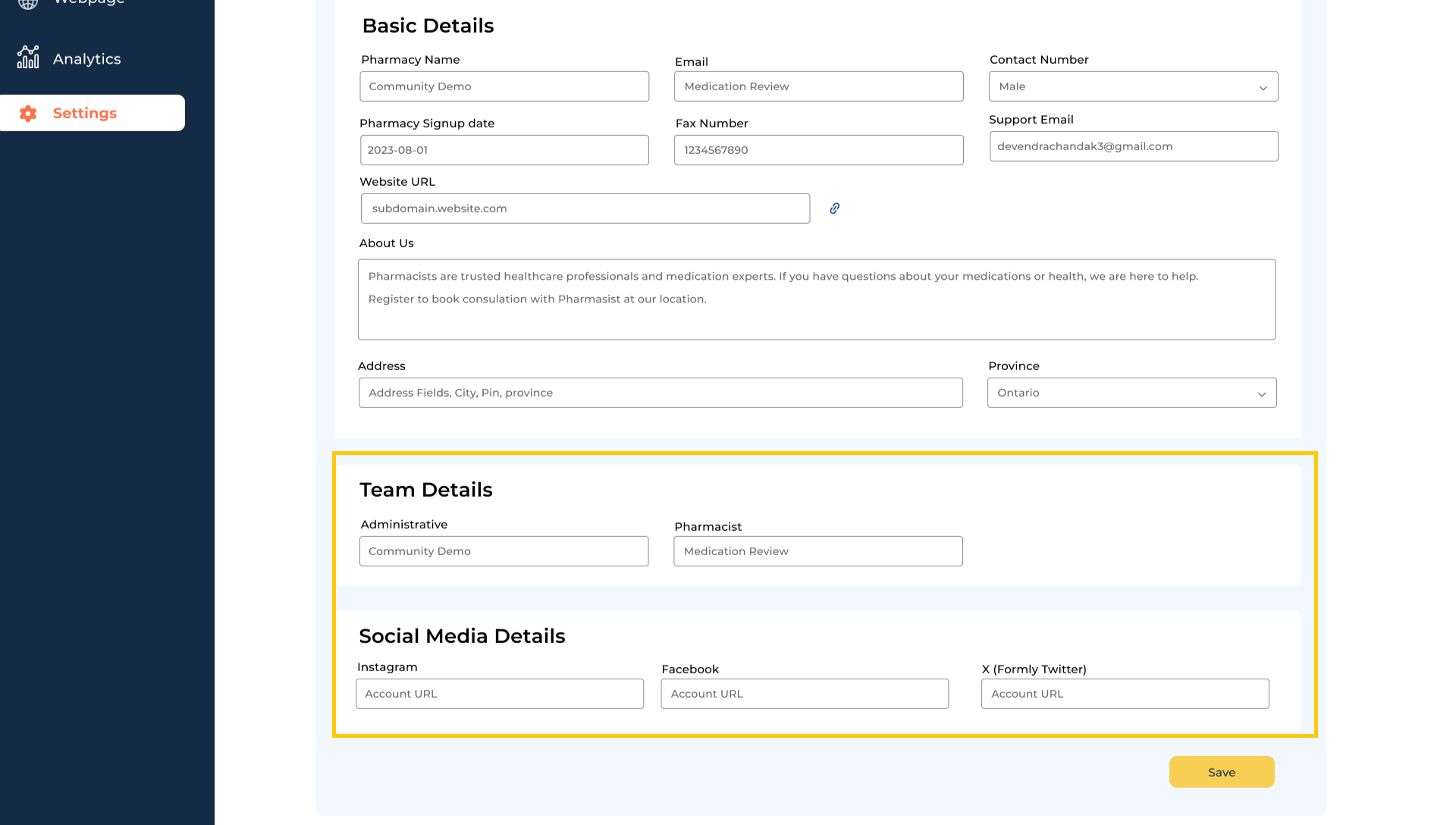
Step 3: Modify Team and Social Media Information
You also have the option to modify your team details and social media information through the profile section.
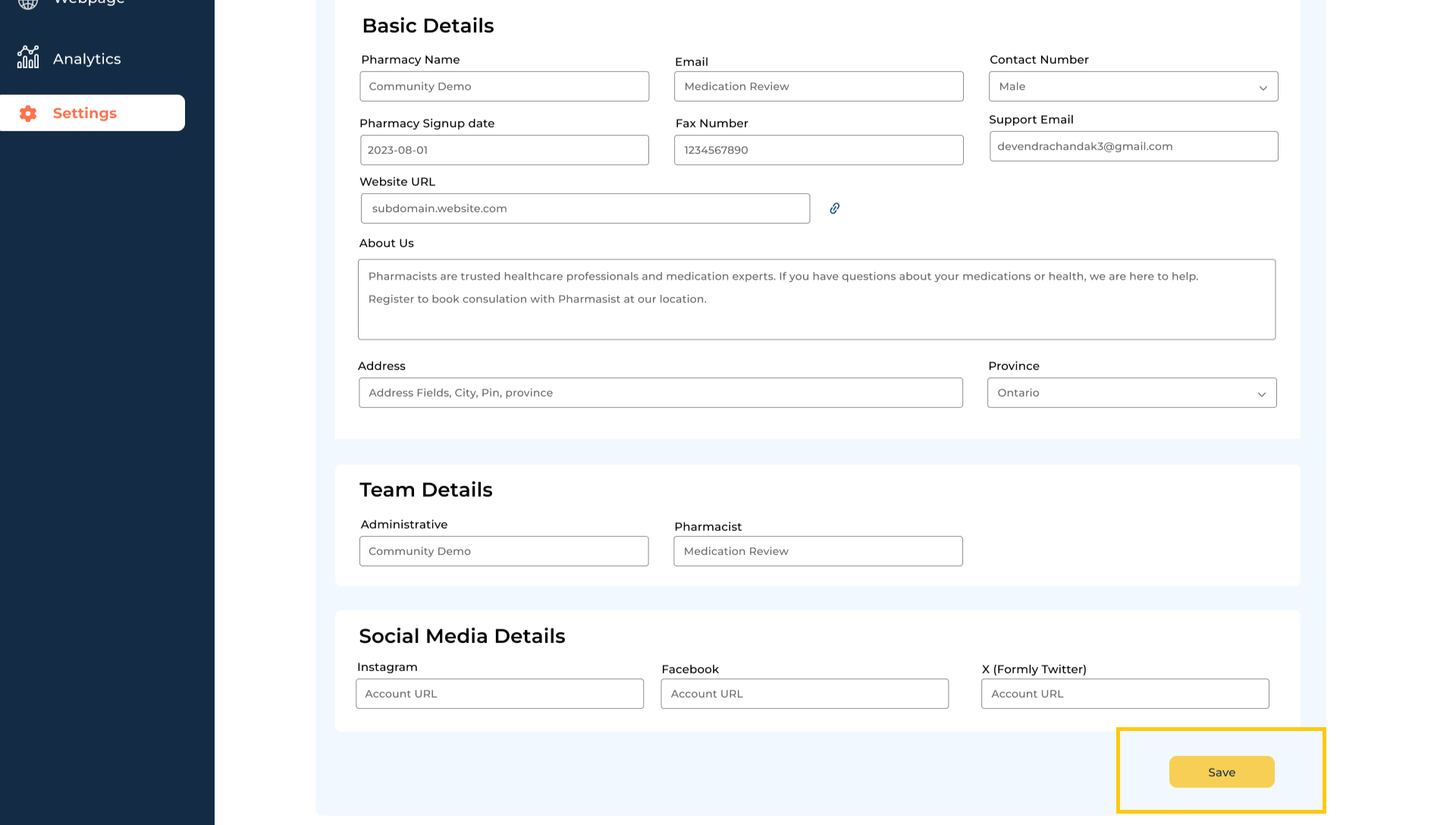
Step 4: Save Your Profile Updates
Be sure to click on the "Save" button to save your profile updates.